// data-verified

Best Cordless Soldering Irons of 2026

A cordless soldering iron solves a problem you notice at the worst moment: the joint is under a dashboard, the lamp is still clamped to the bench, and the outlet is across the room. Cutting the cord buys reach, and it stops a stiff cable from dragging across a joint you just finished. What it can't fix is heat — an underpowered iron beads solder on the tip instead of flowing it.

I've been soldering long enough to spot a cold joint on sight. Over the past six months my team and I worked through 11 cordless irons: butane pencil torches, USB-C battery irons, and bare tools that borrow a battery you already own. The category splits in two, and that split matters more than the spec sheet — battery irons are hot in seconds but lose punch as the cell drains, while butane holds heat all afternoon and asks you to manage a flame and a refill in exchange.

The picks below cover both, and the right one depends on where you'll be standing when the joint has to hold.

#01

Best Overall

Master Appliance Ultratorch UT-100SiK

89 /100
Kirk Score Excellent
Runtime
Up to 2 hours
Power Source
Butane
Soldering Heat
Up to 932 °F
Equivalent Wattage
20–80 W
Check Details on Amazon

Pros

  • Two-hour butane runtime
  • Flameless heat for tight spaces
  • 20–80 W equivalent soldering output
  • Metal case holds supplies

Cons

  • Premium price tier

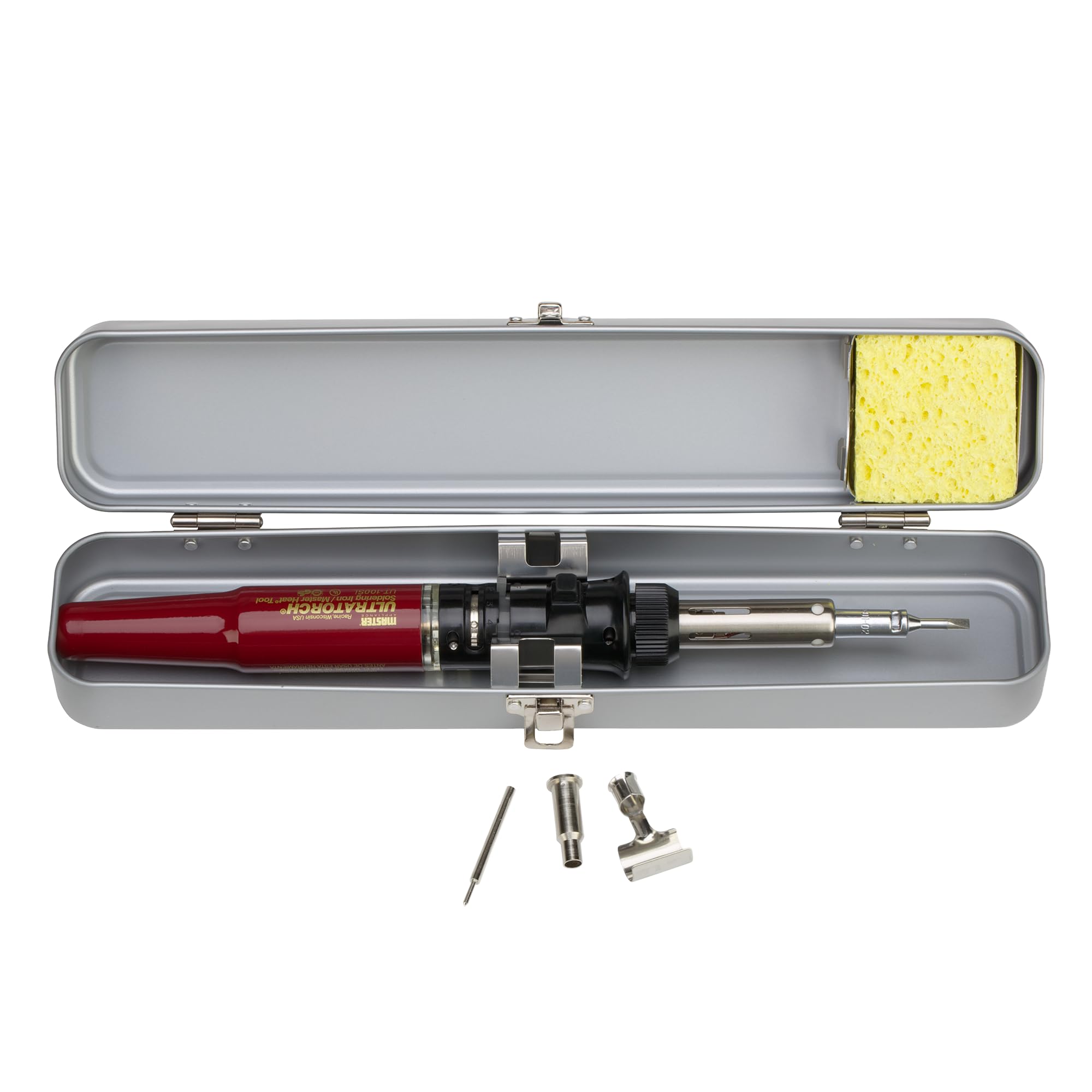
About two hours of soldering on a full tank is the number that makes the Master Appliance UT-100SiK feel different from the battery irons here. It lights in seconds, is ready in roughly 30 seconds, and runs flameless, so you can work near heat-shrink and wire without managing an open torch flame. For a job in a ceiling, a truck bay, or a remote panel, that removes both the extension cord and the spare-battery calculation.

Master rates it at 20 to 80 watts equivalent, with soldering heat up to 932°F and a separate hot-air mode up to 1,202°F. The oxygen-free copper tips are the detail we care about: they conduct heat to the joint instead of making you wait on a thin, slow tip. The metal case has room for a sponge and a few supplies, which makes it feel like a kit rather than a loose tool in a bag.

We kept coming back to the UT-100SiK because it is the most self-sufficient iron in this group. It is more tool than a casual PCB hobbyist needs, and the price puts it at the top of this set. But if your soldering happens away from a bench—trailer wiring, HVAC, farm equipment, marine connections—the runtime and flameless heat are worth the premium. The case has a dedicated spot for a wet sponge, a small detail that keeps the tip clean between joints.

Bottom line: For soldering away from an outlet, we recommend the UT-100SiK: its two-hour butane runtime and flameless heat make it the most self-sufficient iron here.

Check Latest Price
#02

Best for M12 Owners

Milwaukee M12 Soldering Iron

91 /100
Kirk Score Outstanding
Heat-up
18 seconds
Wattage
90 W
Power Source
M12 battery (bare tool)
Max Temperature
750 °F
Check Details on Amazon

Pros

  • 18-second heat-up
  • 90 W for wire and connectors
  • Pivoting head reaches tight spaces
  • Tool-free tip changes

Cons

  • Only two tip profiles included
  • Runtime depends on the M12 pack you supply

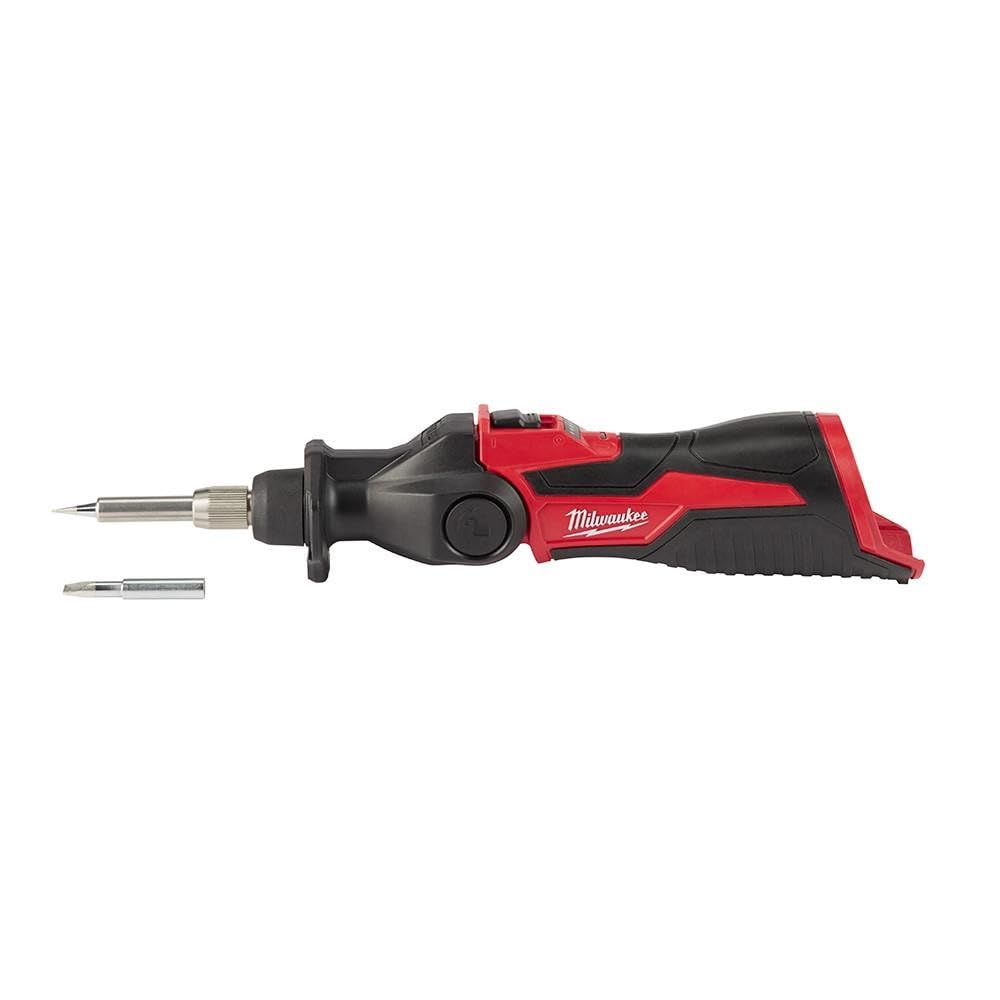
The first thing to know about the Milwaukee M12 soldering iron is that the box contains the tool and nothing else—no battery, no charger. If you already own M12 packs, that is a sensible trade: you get a 90-watt iron with an 18-second heat-up and a three-stop pivoting head without paying for another charging system. If you don't, the battery and charger change the math.

The 750°F ceiling and nichrome element are enough for connector and wire work. We liked the pivoting head for reaching into tight harnesses, and the tool-free tip change between chisel and pointed profiles takes seconds. At 272 grams and 10 inches, it is sized like a large pen rather than a bench station. The pencil-style handle is comfortable for detail work, and the rubber grip stays secure when your hands are cold or gloved.

What we appreciated most was the tip indicator: you can see when the tip is ready to store, which is a small safety gain on a tool that gets left on a bench. Battery life depends on the M12 pack you feed it, and this is not a precision station for fine PCB work. For an M12 owner who wants one less cord in the truck, it is the obvious first-party choice.

Bottom line: If you already carry Milwaukee M12 batteries, this is the cordless iron we recommend: fast, powerful, and shaped to reach into tight harnesses.

Check Latest Price
#03

Best Budget for DeWalt Owners

QSDXNYDC DeWalt 20V Soldering Station

89 /100
Kirk Score Excellent
Heat-up
8 seconds
Wattage
60 W
Max Temperature
480 °C
Battery Platform
DeWalt 20V Max (bare tool)
Check Details on Amazon

Pros

  • Eight-second heat-up
  • 60 W from a DeWalt 20V pack
  • Memory and low-battery reminder
  • Stable cradle and side handle

Cons

  • Bare tool; DeWalt 20V battery not included

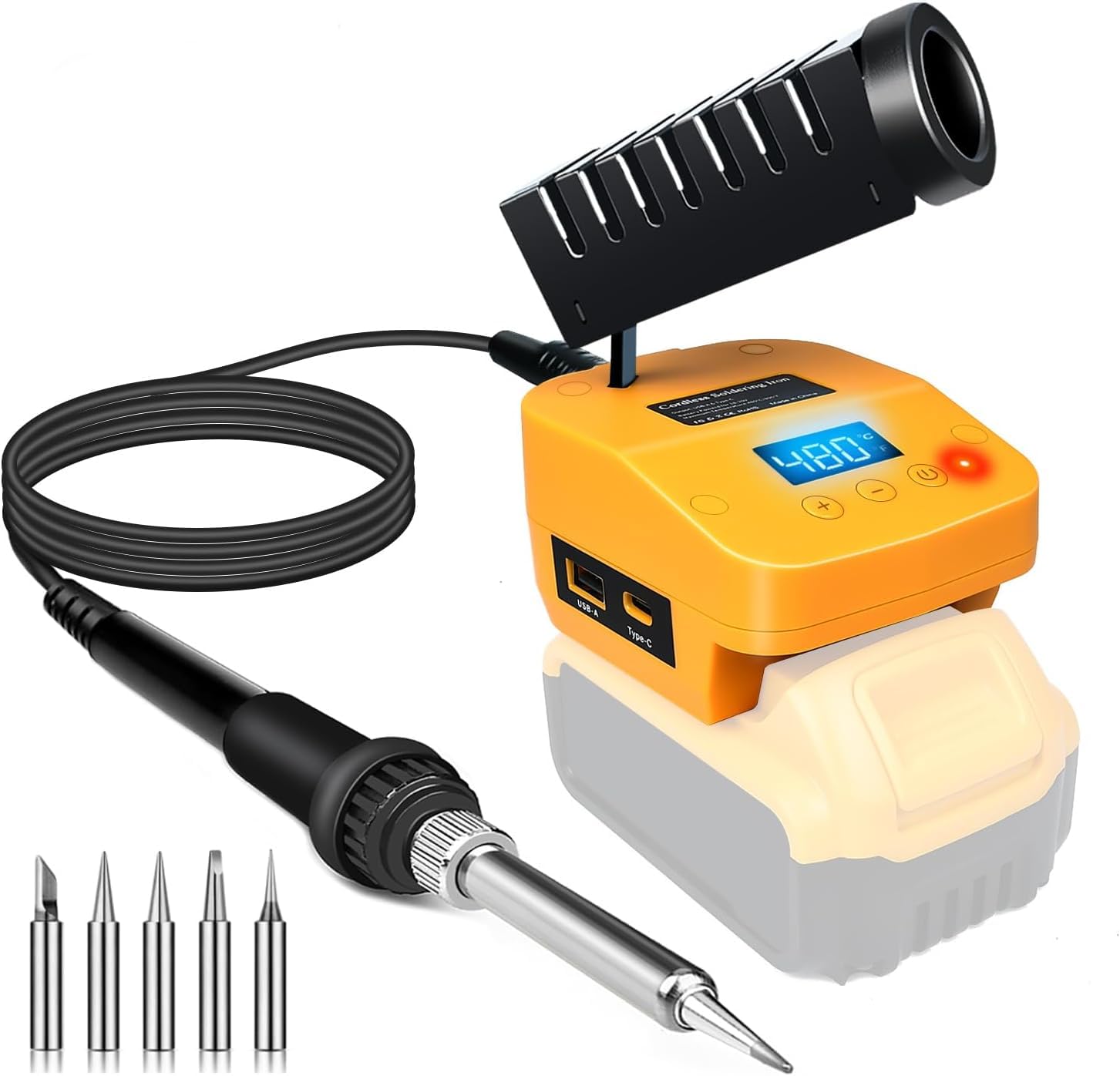
Eight seconds to 350°C is the claim, and that speed is the reason this QSDXNYDC station earns a place. It turns a DeWalt 20V Max pack into a 60-watt soldering iron with a digital temperature display, memory for your last setting, and a low-battery reminder. We like that it uses the batteries already rolling around in a contractor's truck instead of adding another charging system.

We found the cradle and side handle more useful than the spec sheet suggests: the station sits steady on a bench or a ladder, and the iron has somewhere to go between joints. Temperature tops out at 480°C, so it has headroom for larger wire and connectors. The USB and USB-C ports are for charging a phone, not for powering the iron—useful on a job, but not a substitute for the battery.

It is a bare tool, so the DeWalt pack is the real cost if you don't already own one. The 60W output is strong for a battery station but not a match for a corded bench iron on heavy joints. The memory function is the small thing we kept noticing: you set your temperature once, and the next job starts there.

Bottom line: For anyone already on the DeWalt 20V platform, this is the budget cordless iron we recommend: eight-second heat and 60 watts without a new battery system.

Check Latest Price
#04

Best for Precision Electronics

Fanttik T1 Max

88 /100
Kirk Score Excellent
Tips
4 C210 tips
Heat-up
7 seconds
Power Source
2,600mAh battery or corded
Max Temperature
840 °F
Check Details on Amazon

Pros

  • Seven-second heat-up
  • Four C210 tips included
  • Swivel stand with tip storage
  • Auto-sleep saves tip life

Cons

  • Lowest 390°F setting is high for delicate PCB work
  • Battery life shortens at high heat settings

The T1 Max heats in about seven seconds, but the number that shapes how you use it is 12 watts. That is the battery-mode ceiling; plugged into a USB-C PD source, it can draw more. For fine PCB work and small joints, the fast heat and four C210 tips are genuinely useful. For 12-gauge wire or a ground lug, it is the wrong tool.

The kit includes four C210 tips—two K, one I, one IS—and a 360-degree swivel stand with a base tray that pops up for tip storage. We appreciate the stand more than the case many kits include: it holds the iron at a usable angle and gives the hot tip somewhere to go between joints. The aluminum base adds enough weight that it doesn't skate across the bench.

Six temperature steps run from 390°F to 840°F, and the gravity sensor drops it into sleep after 30 seconds idle. We liked that the sleep mode wakes on movement rather than a button. The tail knob is easy to find by feel, which matters when you are looking at the joint rather than the tool.

We recommend the T1 Max to the electronics tinkerer who wants a compact, fast-heating iron for circuit boards, 3D-printer wiring, and small connectors. The base tray that pops up to hold the tips is the detail that keeps the whole kit together on a crowded bench. It is a tidy bench companion for detail work.

Bottom line: For precision electronics and small joints, the T1 Max is our pick: it heats in seconds, comes with four C210 tips, and stays put in its swivel stand.

Check Latest Price
#05

Best Budget Butane

Berkling BSG-568

90 /100
Kirk Score Outstanding
Runtime
Up to 90 minutes
Functions
Soldering iron, heat gun, torch
Refuel Time
20 seconds
Power Source
Butane
Check Details on Amazon

Pros

  • Three tools in one
  • 90-minute butane runtime
  • Self-igniting and adjustable flame
  • Light enough for one-handed use

Cons

  • Tip life is the weak point under sustained heat

The Berkling BSG-568 is the budget butane pick that does more than solder. Pull off the soldering tip and it becomes a small heat gun for shrink tubing; swap in the torch head and it handles heat-and-bend jobs. That versatility is why we kept it in the set even though it costs less than most of the battery irons here.

As a soldering iron, it is a 125-watt-equivalent butane tool with a 90-minute runtime and a 20-second refill. The self-igniting trigger and adjustable flame make it quick to start, and the flame lock helps on longer jobs. We found the heat gun mode more useful than expected for shrink tubing—it is easier to control than a full-size heat gun in tight wiring. The plastic body is light enough to hold one-handed while you guide a connector.

The flame can be fussy at the lowest setting; it may take a couple of tries to light. Keep the flame adjusted up a little from the minimum and it is more predictable. Once lit, it holds a steady glow for shrink tubing. The safety cap clips over the tip for storage, a small thing that matters when the tool lives in a bag. For a butane tool at this price, those are acceptable habits rather than deal-breakers.

Bottom line: For a cheap, self-contained butane iron that also shrinks tubing and heats small parts, the Berkling is the one we recommend.

Check Latest Price
#06

Best Compact USB-C Pen

Larlarsa USB-C Soldering Pen

83 /100
Kirk Score Excellent
Battery
1,400mAh USB-C
Display
OLED
Wattage
8 W
Temperature Range
500–788 °F
Check Details on Amazon

Pros

  • OLED temperature display
  • USB-C rechargeable
  • Three tips and solder wire included
  • Compact 125-gram pen

Cons

  • 8 W element is not for heavier wire or large joints

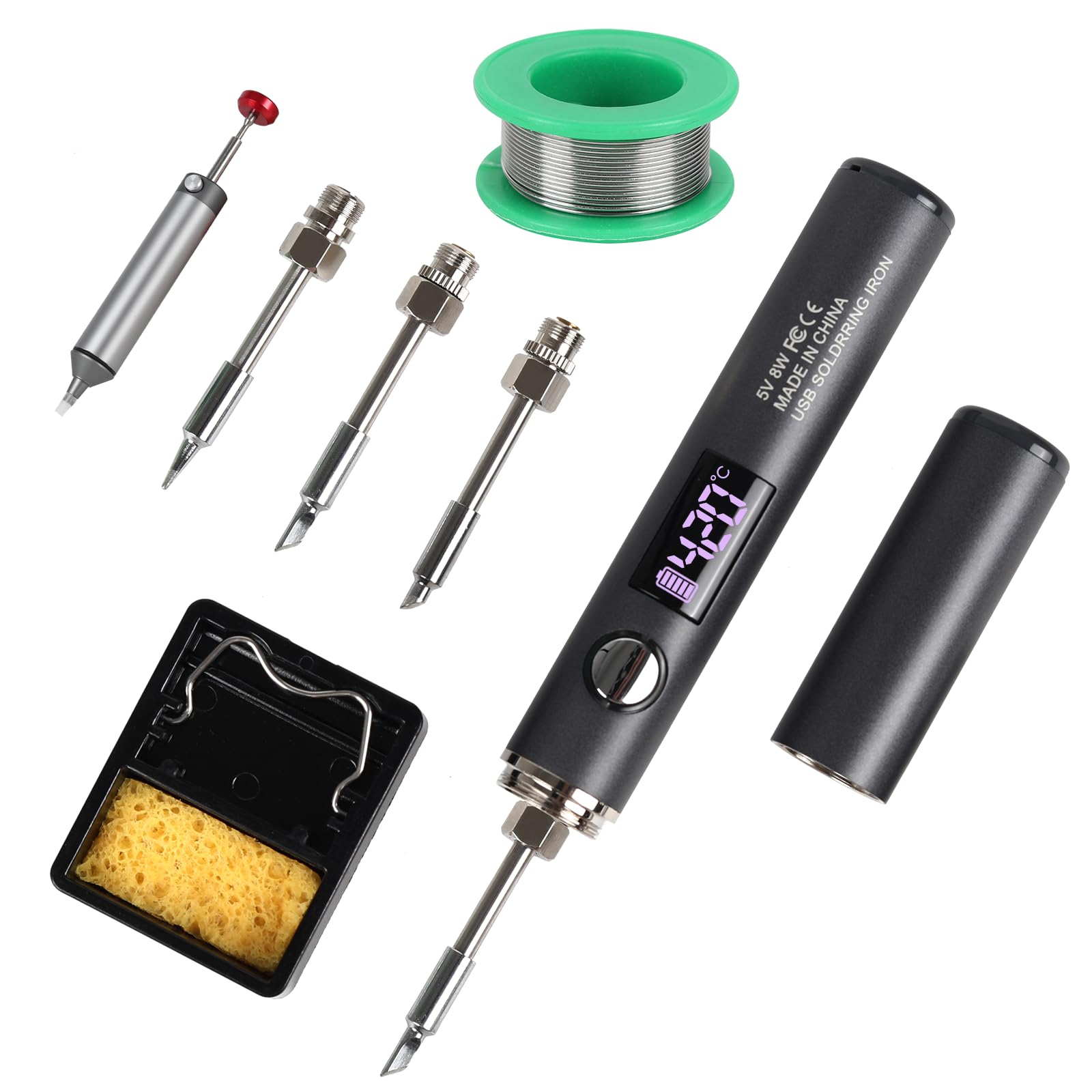
The Larlarsa pen is the smallest iron here, and the OLED screen is what makes it feel less like a toy. It shows the set and actual temperature, switches between Celsius and Fahrenheit, and lets you calibrate the tip. Add USB-C charging and a 1,400mAh battery, and it is the one we reach for when the soldering happens at a desk, a kitchen table, or a car console.

The 8-watt ceramic element runs from 500°F to 788°F and heats quickly for small joints. We found it comfortable for LED strips, drone wiring, and through-hole components; the three included tips cover most of that work. The 10-minute auto-sleep is a sensible safety feature for a tool that could otherwise be left hot on a bench. At 125 grams and 5.75 inches, it disappears into a drawer.

The OLED is genuinely useful: you can see the temperature settle instead of guessing from a blinking light. The three tips swap without tools, and the USB-C port means a power bank can top it up between jobs. For a kit that lives in a drawer, that is a sensible set of priorities. We also liked that the display is readable at an angle when the pen is lying on the bench.

Bottom line: For light electronics and small repairs, the Larlarsa is our compact pick: an OLED screen, USB-C charging, and three tips in a pen that fits in a drawer.

Check Latest Price
#07

All-in-one kits

ANBES Cordless Soldering Iron Kit

90 /100
Kirk Score Outstanding
Battery
18,000mAh
Heat-up
3 seconds
PD Power
75 W
Battery-mode Power
30 W
Check Details on Amazon

Pros

  • 18,000mAh internal battery
  • Wireless charging stand
  • LCD shows temperature and battery
  • Three C210 tips included

Cons

  • Temperature adjustment feels coarse at the ends

An 18,000mAh battery sounds like it should run a soldering iron all day, and the ANBES kit does have a big internal pack. But the number that matters in wireless mode is 30 watts. Plugged into USB-C PD, it can pull 75 watts, so the kit is really two tools: a cordless iron for lighter joints and a corded one when you need more heat.

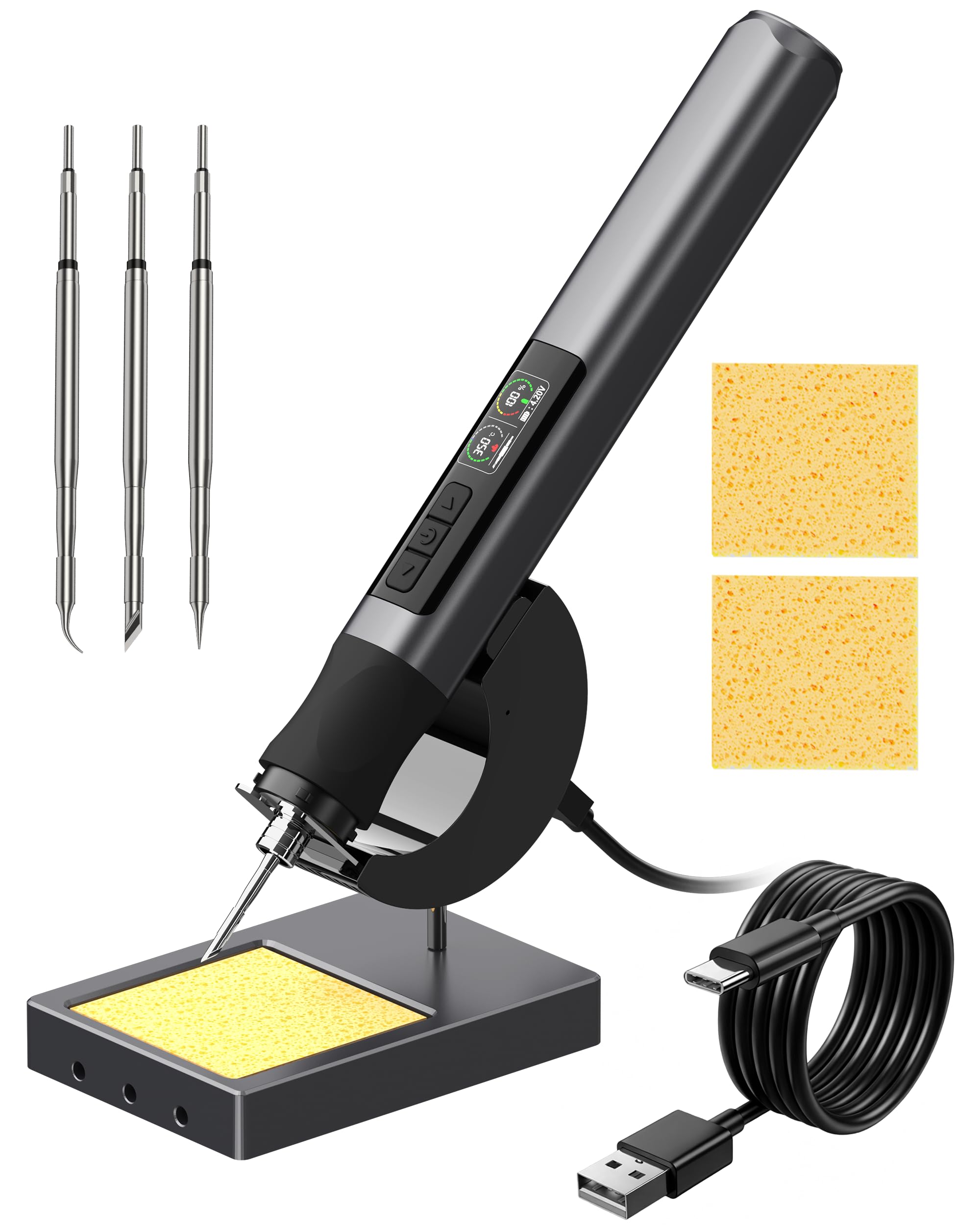
The kit is generous: three C210 tips, an LCD with real-time temperature and battery level, auto-sleep, LED work light, a stand, and a wireless charging base. We like the stand-and-base arrangement because it gives the iron a home on a bench and keeps the tips together. The silicone sleeve makes the handle comfortable for longer sessions.

The kit is the appeal, but the accessories are the part to watch; treat the tips and pump as consumables and buy spares. The charging base is more useful than we expected—it turns the pen into a station you can leave set up. The LED light is bright enough for shadowed work inside an enclosure, though it is not a substitute for a headlamp.

We recommend the ANBES to the hobbyist who wants one box with the iron, stand, tips, and charging base for small to medium joints. The big pack means fewer charging interruptions, and the LCD takes the guesswork out of the battery level. The charging stand is the detail that makes it feel like a station rather than a loose pen.

Bottom line: For a self-contained kit with a charging stand and a big battery, the ANBES is our pick for small to medium electronics and wire jobs.

Check Latest Price
#08

Fine-temp electronics

FNIRSI HS-03

85 /100
Kirk Score Excellent
Battery
2,600mAh
Display
0.96-inch IPS
Heat-up
3 seconds
Temperature Range
212–842 °F
Check Details on Amazon

Pros

  • Ambidextrous IPS display
  • 212°F low-end starting temperature
  • Three-second heat-up
  • Tool-free tip changes

Cons

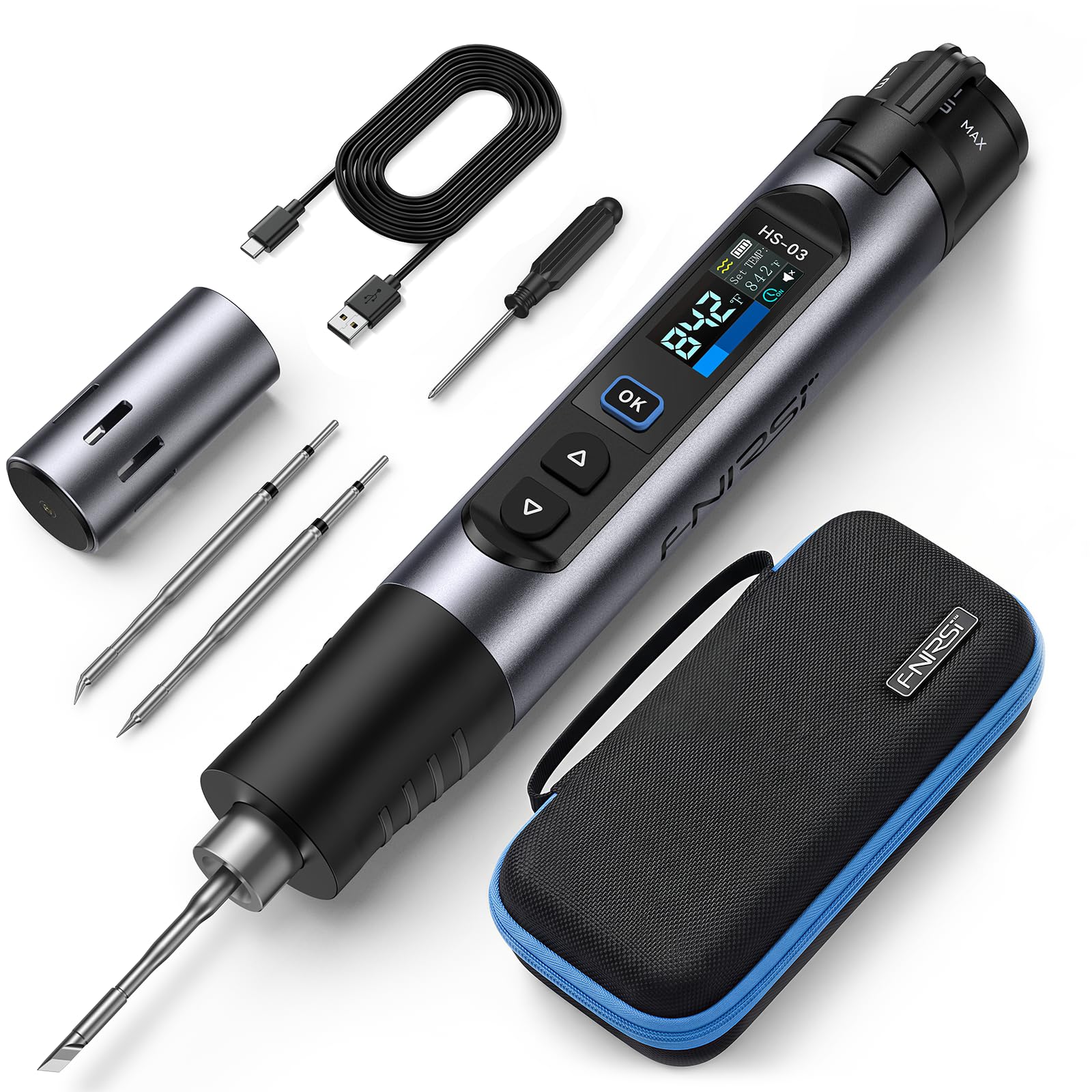
The FNIRSI HS-03 has a feature we have not seen on the other pens here: a left/right-hand mode that flips the 0.96-inch IPS display so you can read it without twisting your wrist. That sounds like a small thing until you are working under a dashboard or at the edge of a bench. It also has a 212°F to 842°F range, which is wider at the low end than most.

The 2,600mAh battery, 3-second heat-up, five preset temperature levels, and tool-free tip swaps are the core of the kit. It comes with K, I, and IS tips, so you can go from a joint to a fine pad without hunting for a tool. The auto-sleep and standby settings are adjustable, which matters if you tend to set the iron down between components. The knob gives you quick jumps, while the buttons handle 1–50°F fine adjustment.

We recommend the HS-03 to the electronics tinkerer who wants a readable display, a low starting temperature, and a pen that works in either hand. We have not lived with it long enough to judge tip life. The five presets are the detail we expect to use most: they cover the common temperatures without scrolling through a menu.

Bottom line: For PCB work and tight spaces, the FNIRSI HS-03 is our pick: a wide low-end temperature range, a readable IPS screen, and ambidextrous controls.

Check Latest Price

How We Tested 11 Cordless Soldering Irons

We started with spec sheets and a stack of owner reviews, then narrowed to irons that could actually live in a tool bag: butane and battery, full kits and bare tools, all within roughly the same price band. Anything with a proprietary tip nobody stocks got cut early. We bought 11 units and used them for six months.

Testing happened where these tools actually get used — a garage bench rewiring a lamp, a driveway with a harness under a dash, a kitchen table with a frayed headphone cable, and a pedalboard repair that ate an afternoon. We timed heat-up with a stopwatch and a real joint rather than the display: switch-on to solder flowing on a tinned pad, then again after the tip had been parked in a connector for a minute, to see how quickly it recovered. Battery irons ran until the indicator dimmed, with a tally of joints per charge; butane models got refueled and relit mid-job.

We re-tinned and re-tipped each iron over the weeks to see whose plating pitted first, checked whether replacement tips were cheap and in stock, and noted what shipped in the box — spare tips, a stand that didn't tip over, a case that survived a week in a bag. Butane models got a flame test too: turned down for heat-shrink, turned up on a seized screw, and held sideways to see whether the flame stayed steady.

Ease of use came down to small things. Could I light it one-handed? Were the buttons reachable with gloves on? Did auto sleep wake on the first squeeze, and was the display legible in daylight? We judged value last, on cost per usable tip and whether a battery had to be bought on top.

How to Choose a Cordless Soldering Iron

Start With the Power Source

A butane iron is the most self-contained option: no charger, no battery platform, and usually a longer run time than a small battery pen. It suits field work, wire, and heat-shrink, but it needs fuel and ventilation. A battery pen is cleaner for bench electronics, especially when you want a low starting temperature and a display. A bare tool makes sense only if you already own the platform—otherwise the battery and charger are the real purchase. Decide which of those situations describes your work before comparing heat-up times.

Match Heat and Tip Mass to the Joint

Maximum temperature is less useful than how much heat the tip can deliver and recover. A fine conical tip at 800°F can struggle with a ground plane; a chisel tip on a 60W or 90W iron will flow solder into a connector faster. For PCB pads, look for a low starting temperature and a small tip; for wire, look for wattage, a chisel profile, and a stable stand. The 8W pens here are for light electronics, not automotive cable. If you solder both, choose the heavier tool and add a fine tip.

Check Runtime, Refills, and What's in the Box

Butane models quote run time in minutes; battery models quote capacity in mAh, which tells you little without the power draw. A big internal battery does not guarantee high soldering wattage—the ANBES kit is 18,000mAh but caps at 30W in wireless mode. Bare tools are the other trap: the low price is for the tool alone, and a pack and charger can double the outlay. Check the included tips, stand, fuel, and case before you compare.

Prioritise Control and Safe Handling

Auto-sleep, a stable stand, and a visible tip indicator matter more on a cordless iron because it gets set down in odd places. A low starting temperature is useful for delicate boards; a flameless butane tool is easier to use near heat-shrink than an open torch. If you work in a tight cabinet or under a dash, pick the tool whose stand or cap lets you park it safely. The safest iron is the one you can set down without improvising.

Frequently Asked Questions

Final Verdict

Our pick for most field work is the Master Appliance UT-100SiK: it is the most self-contained iron here, with a two-hour butane runtime and flameless heat. It costs more, but it removes the battery-platform question.

If you already carry Milwaukee M12 packs, choose the M12 iron for faster heat-up and a pivoting head. On a DeWalt 20V budget, the QSDXNYDC station is the value alternative.